Affordable family pricing

Try Class Coach free for 14 days.

Explore AI tutoring, Binder uploads, worksheet typing, study tools, reading and writing supports, school assignment tracking, and family support.

Monthly family plan

$6.99 / month

for your first 3 paid months

First student, plus $3.50 for each additional student during the introductory period.

Then $9.99 for the first student + $5.00 for each additional student monthly.

  • ✓ 14 days free
  • ✓ AI tutoring in text and class-aware support
  • ✓ Binder uploads and Type on page
  • ✓ Summaries, flashcards, practice, and study plans
  • ✓ Read-aloud and dictation on supported devices
  • ✓ school assignment tracking, daily planning, and family support
  • ✓ 120 Voice Chat minutes every month
  • ✓ Cancel anytime

Yearly family plan

$99.00 / year

for the first student

Add students for $49.00 each per year. One student saves $20.88 compared with standard monthly billing.

  • ✓ 14 days free
  • ✓ AI tutoring in text and class-aware support
  • ✓ Binder uploads and Type on page
  • ✓ Summaries, flashcards, practice, and study plans
  • ✓ Read-aloud and dictation on supported devices
  • ✓ school assignment tracking, daily planning, and family support
  • ✓ 120 Voice Chat minutes every month
  • ✓ Cancel anytime

What your family pays

Stripe automatically adjusts the total when you add or remove a student.

1 student

First 3 paid months
$6.99/month
Monthly after
$9.99/month
Yearly
$99.00/year

2 students

First 3 paid months
$10.49/month
Monthly after
$14.99/month
Yearly
$148.00/year

3 students

First 3 paid months
$13.99/month
Monthly after
$19.99/month
Yearly
$197.00/year

No credit card required. There is no charge today and no automatic charge when your trial ends. Monthly introductory pricing lasts for the first 3 paid months. Additional students receive the same introductory discount. Choose a paid plan only if you want to continue after the trial. Taxes may apply. Stripe securely handles card details; Class Coach does not store full card numbers.
Your tools for school, together

Learn it. Work on it. Keep track of it.

From a photo of a worksheet to a tutoring conversation, Class Coach gives students practical ways to understand and work with their own class material.

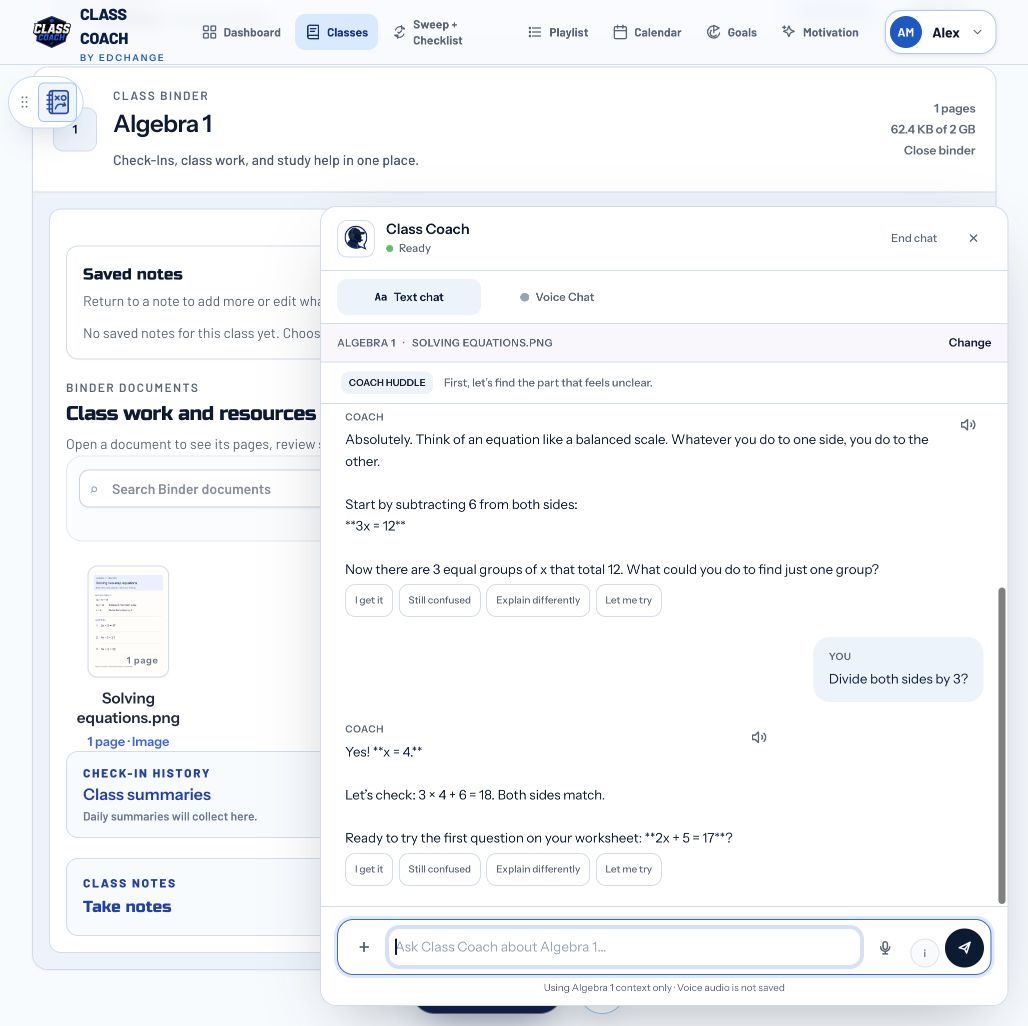
Coach helps a student solve a two-step equation in text chat. See Coach in action

01

Chat with Coach

Ask questions, request another explanation, and talk through confusing classwork with AI tutoring support in text or Voice Chat.

“Can you explain this problem a different way?”

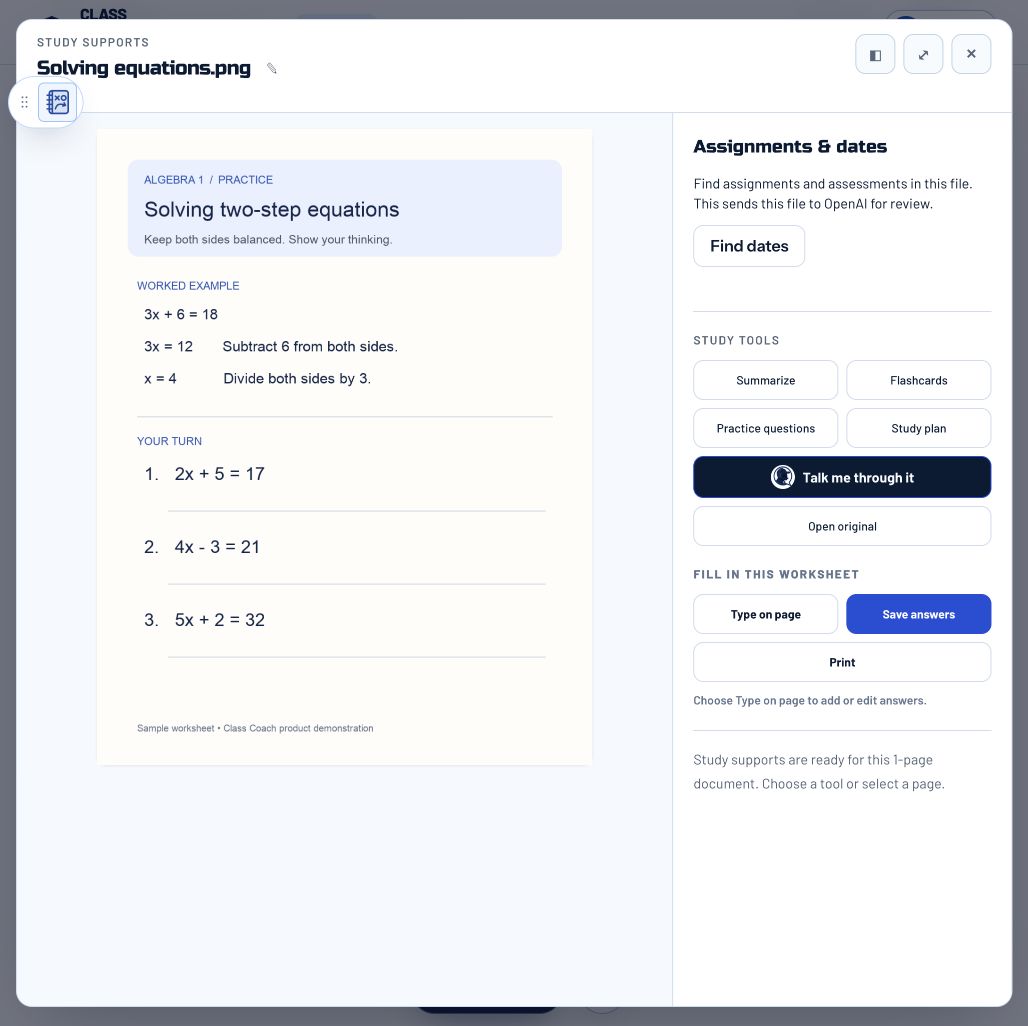
An uploaded algebra worksheet open in the Binder with Type on page and study tools. See the feature

02

Turn paper into a workspace

Upload a photo or document to the class Binder. Open a worksheet, type answers on the page, save them, and ask Coach about the material.

Photograph a worksheet. Upload it. Work from the page.

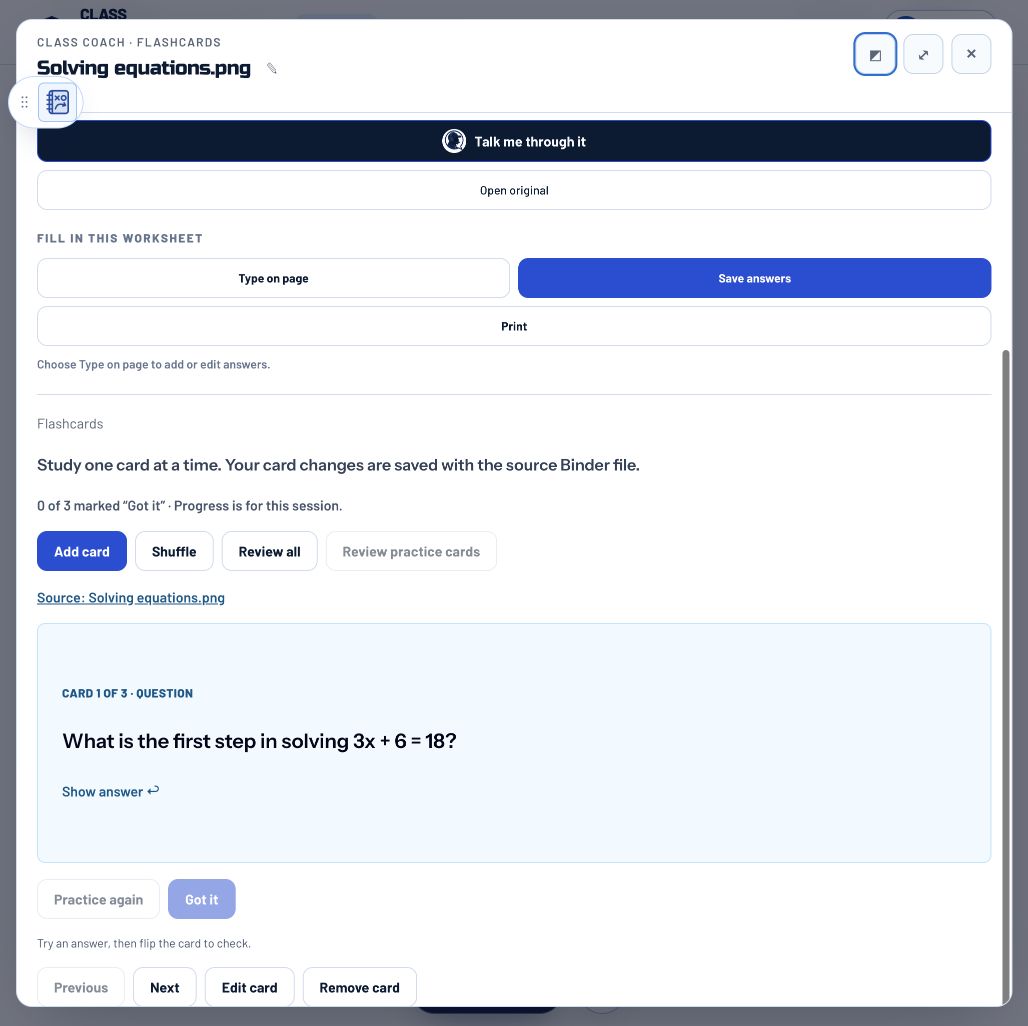
A flashcard created from the sample algebra worksheet, with review controls. See the feature

03

Make your own study tools

Choose a summary, flashcards, practice questions, or a study plan based on your uploaded Binder materials.

Turn a chapter or study guide into focused review.

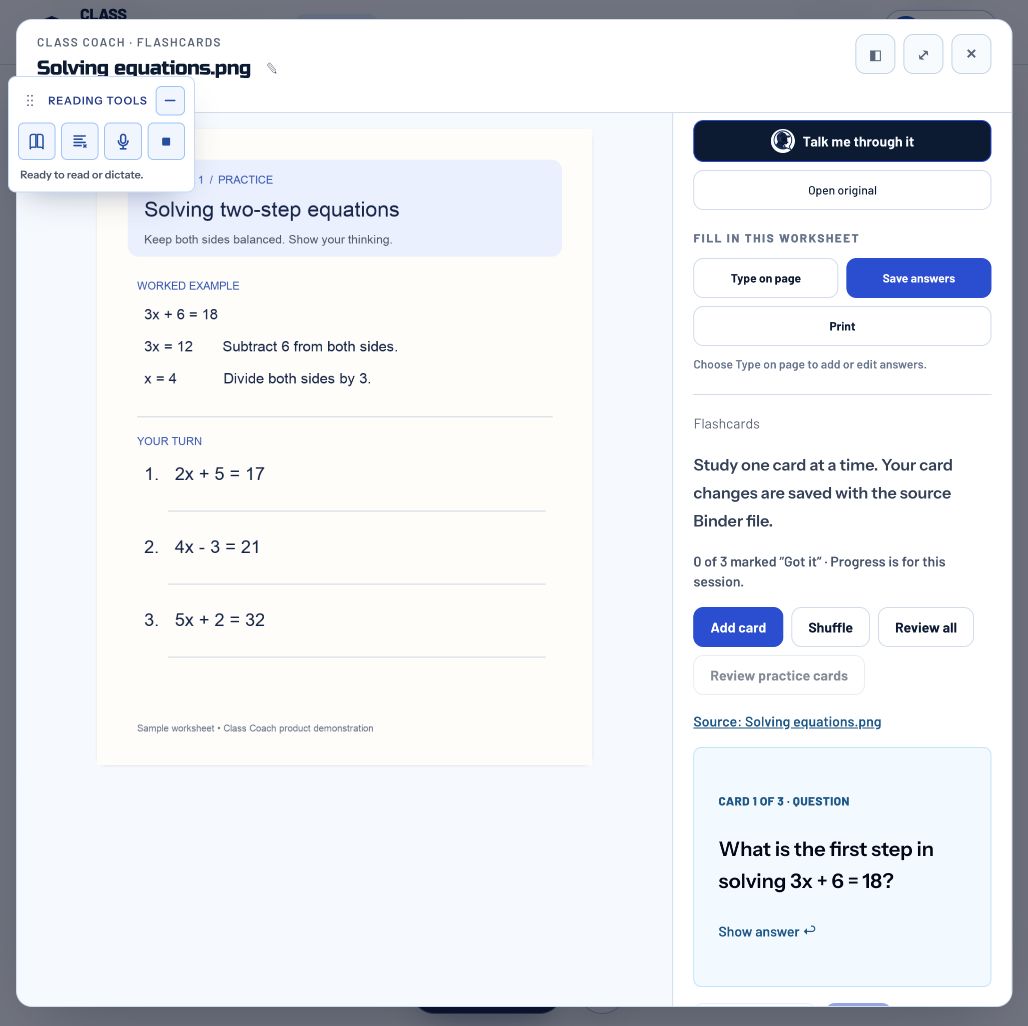
Reading tools with read-aloud, highlighted text, dictation, and stop controls. See the feature

04

Read, listen, speak, or type

Read-aloud, dictation, and Voice Chat offer different ways to engage with schoolwork, including for students with dyslexia. Browser and device support varies.

Listen to text or dictate into a writing box.

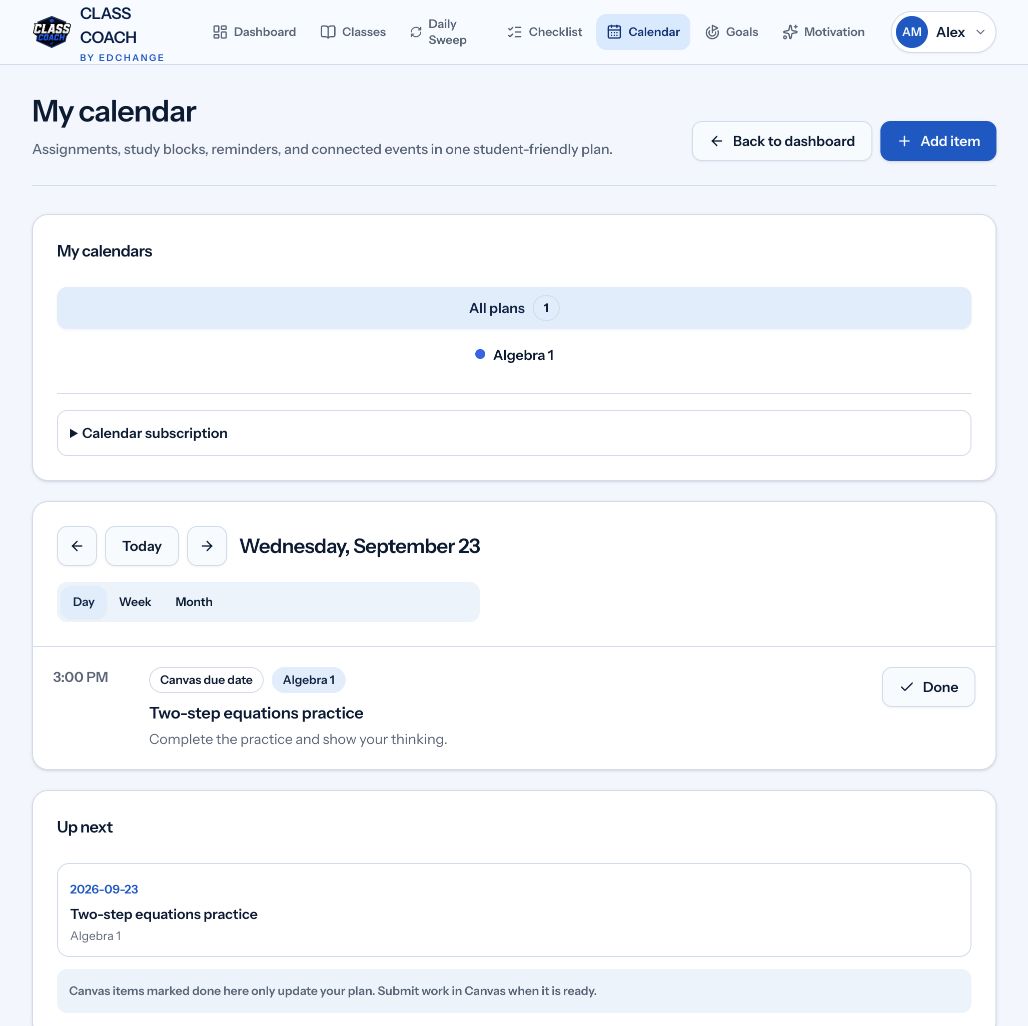
A sample Canvas assignment and due date in the Class Coach calendar. See the feature

05

Connect your school’s learning platform

Connect supported Canvas or Google Classroom courses to keep assignments and due dates together. School connections depend on access and permissions.

Check due work alongside the materials for that class.

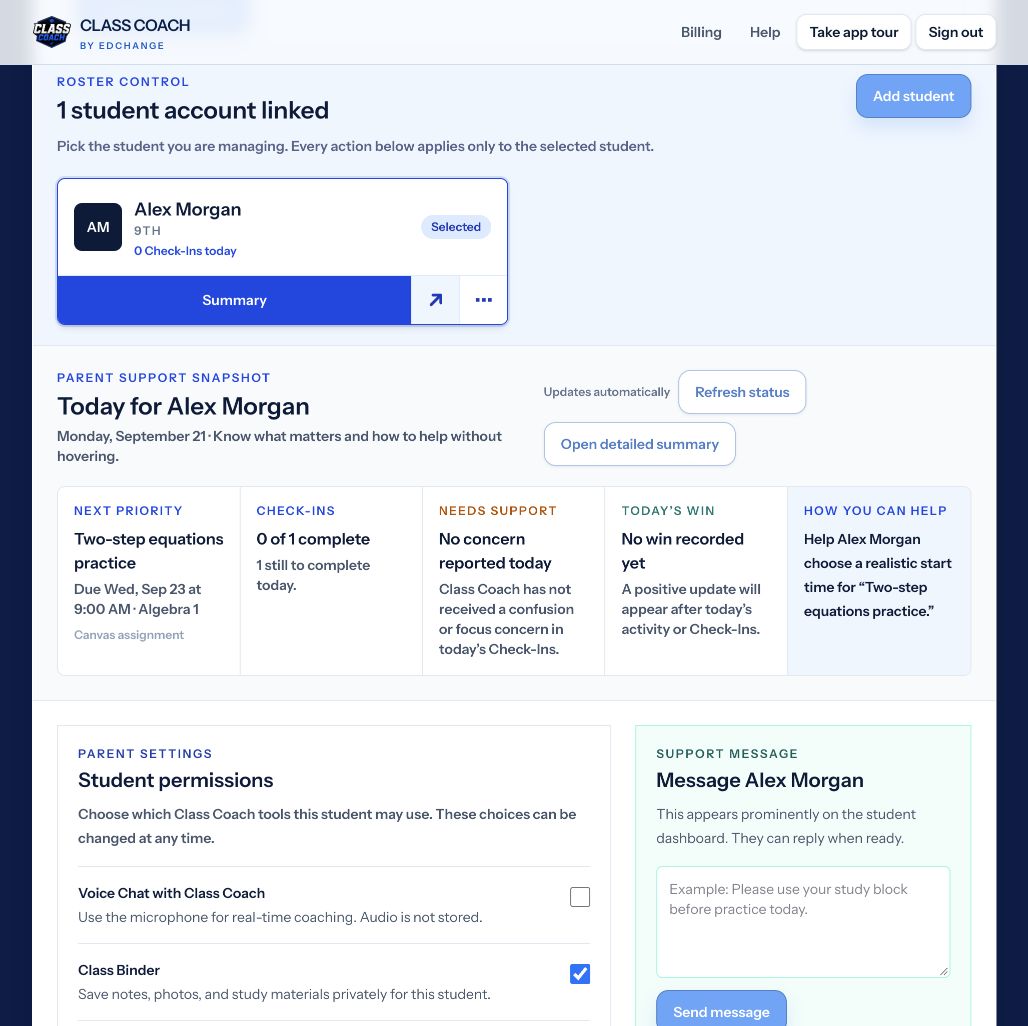
The parent support snapshot shows a sample student’s next assignment and ways to help. See the feature

06

Keep family support connected

Students keep ownership of their work while linked family members have context to encourage progress. Class materials, planning, and support share one home.

Talk about the work together without taking it over.

Screenshots show the real app with sample content. AI features follow account permissions. Voice Chat is subject to plan limits. Examples illustrate ways to use the tools; they are not customer testimonials.

See the student walkthroughs →

Feature screenshot

Actual Class Coach screen with sample content.

Open full-size image ↗